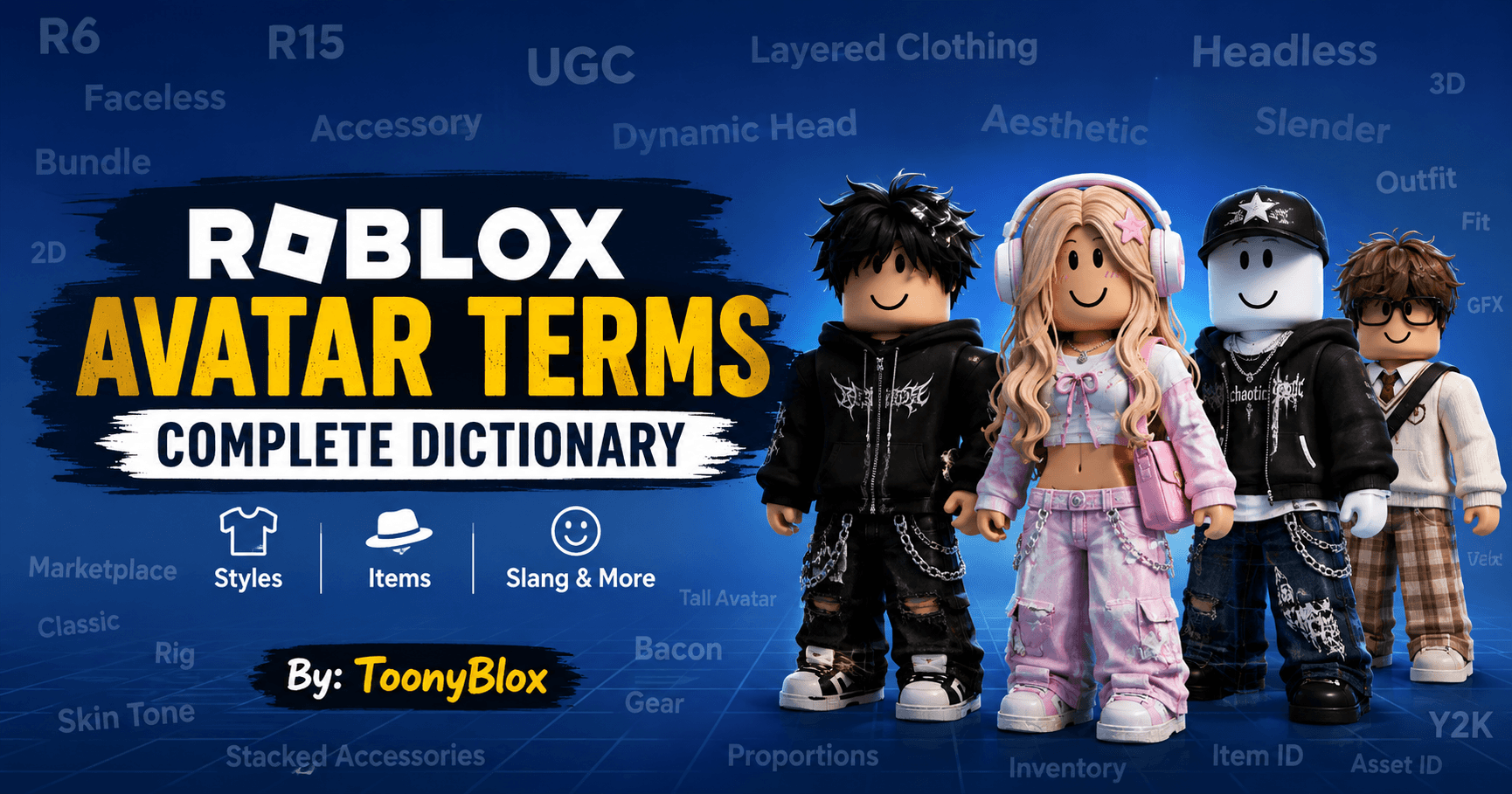
Roblox Avatar Terms: Complete Dictionary of Avatar Slang, Styles & Items
Last Updated: August 2026
If you have ever browsed the Roblox Marketplace, watched avatar outfit videos, or joined a Roblox fashion community, you have probably seen words like R6, R15, UGC, layered clothing, bundle, dynamic head, headless, faceless, 2D, 3D, body type, animation, and avatar scaling.
But what do these terms actually mean?
Roblox avatar customization has changed dramatically over the years. What started with simple blocky characters has grown into a huge ecosystem of body packages, accessories, layered clothing, animated heads, UGC creations, bundles, and different avatar styles.
This Roblox Avatar Terms Dictionary explains the most important words players use when talking about avatars. Whether you’re a new player trying to understand your first outfit or an experienced collector looking for specific avatar items, this guide is designed to be your one-stop reference.
Bookmark this page: Roblox avatar terminology keeps evolving, and ToonyBlox will continue updating this dictionary as new avatar features and community terms become popular.
What Are Roblox Avatar Terms?
Roblox avatar terms are words and abbreviations used to describe a player’s character, body type, clothing, accessories, animations, appearance, or customization style.
Some terms are official Roblox terminology, while others are community slang created by players, traders, outfit creators, and avatar enthusiasts.
Understanding these terms makes it much easier to:
- Find avatar items in the Marketplace
- Build better outfits
- Understand Roblox avatar guides
- Follow avatar trends
- Talk with other players
- Search for specific body types and accessories
- Understand avatar-related trading discussions
- Avoid buying an item you don’t actually need
Roblox officially supports a wide range of avatar customization options, including clothing, body parts, accessories, and other virtual items. The Avatar Editor also allows players to combine different items to create their own appearance.
Roblox Avatar Terms Dictionary
A
Accessory
An accessory is an avatar item designed to add something to your character’s appearance.
Examples include:
- Hats
- Hair
- Face accessories
- Neck accessories
- Shoulder accessories
- Front accessories
- Back accessories
- Waist accessories
Accessories are among the most common items used to create Roblox outfits.
Accessory Combo
An accessory combo is a combination of multiple accessories that are intentionally worn together.
For example, a player might combine a hairstyle, headphones, glasses, and a shoulder accessory to create a specific aesthetic.
Advanced Editor
The Advanced Editor is an Avatar Editor feature that gives players more control over equipped items.
Roblox’s support documentation notes that players can use the Advanced option to equip additional items beyond the normal soft limit for a category, using Asset IDs.
Aesthetic
An aesthetic describes the overall visual theme of an avatar.
Popular examples include:
- Cute
- Dark
- Y2K
- Streetwear
- Goth
- Emo
- Preppy
- Anime-inspired
- Minimalist
- Fantasy
B
Bundle
A bundle is a collection of avatar body components packaged together.
Bundles can change the appearance and proportions of your character and may include body parts or other avatar components.
Body
Body refers to the physical appearance and structure of your Roblox avatar.
Depending on the avatar setup, players can customize aspects such as:
- Head
- Torso
- Arms
- Legs
- Body proportions
- Skin color
Body Package
A body package is a collection of body parts designed to give an avatar a particular appearance.
Classic Roblox body packages include well-known styles such as Roblox Boy, Roblox Girl, Man, and Woman. Roblox’s current Terms of Use continue to refer to classic R6 and R15 avatar models.
Body Type
Body type generally refers to the shape and proportions of an avatar.
Two players can wear similar clothing while having completely different body proportions.
Blocky
Blocky describes an avatar style that has a traditional Roblox-like, squared appearance.
The term is commonly associated with classic Roblox aesthetics and R6-style characters.
C
Classic Avatar
A classic avatar generally refers to the traditional Roblox avatar styles associated with the platform’s older character designs.
Roblox’s Terms of Use specifically describe classic avatars based on R6 and R15 models.
Classic Clothing
Classic clothing refers to Roblox’s traditional 2D clothing system.
Common examples include:
- Classic Shirts
- Classic Pants
- Classic T-Shirts
These differ from newer 3D layered clothing.
Classic Face
A classic face refers to the older style of Roblox face asset.
Roblox has been moving toward a more unified head system, so players may encounter changing terminology around classic faces and dynamic heads. Roblox announced work to consolidate separate “Classic Heads” and “Classic Faces” categories into a unified Heads category.
Catalog
Catalog is an older and still commonly used community term for Roblox’s collection of avatar items.
Today, Roblox generally refers to the shopping area as the Marketplace, but many players still say “catalog” when talking about avatar items.
D
Dynamic Head
A dynamic head is a Roblox avatar head capable of supporting facial animation.
Dynamic heads allow an avatar’s facial expressions to move in supported experiences.
Roblox’s official support documentation says that compatible heads can support facial animation and can be identified by an animation indicator in the Marketplace or customization interface.
Dynamic Face
A dynamic face generally refers to an animated facial appearance associated with a dynamic head.
Unlike a traditional static face, a compatible dynamic head can respond to facial expressions or other supported avatar animation features.
F
Faceless
Faceless describes an avatar style where the character appears to have no visible traditional facial features.
The term is usually used by the Roblox community to describe an aesthetic rather than a single item.
Face Accessory
A face accessory is an item worn around the avatar’s face.
Examples include:
- Glasses
- Masks
- Sunglasses
- Face coverings
- Certain cosmetic effects
Fit
Fit refers to how well an avatar’s clothing and accessories work together visually.
Players may describe an outfit as having a “good fit” when the items match the avatar’s body, colors, proportions, and overall aesthetic.
G
Gear
Gear refers to virtual items that can have special functionality or be associated with certain experiences.
However, gear availability is not universal. Roblox states that most experiences do not allow outside gear, so players should check whether an experience supports it before expecting a gear item to work.
GFX
GFX commonly means Graphics.
In the Roblox community, a GFX is usually a rendered or edited image featuring one or more Roblox avatars.
GFX creators often use custom poses, lighting, backgrounds, effects, and avatar designs.
H
Headless
Headless describes an avatar appearance where the character appears to have no visible head.
In community conversations, “headless” often refers to a particular avatar appearance or setup rather than simply removing the head.
Headless Look
A headless look is an outfit designed to create the visual impression that the avatar has no head.
Players frequently use the term when discussing avatar outfits, aesthetics, and Marketplace searches.
Head
The head is the avatar component containing the character’s head and facial appearance.
Modern Roblox avatar systems increasingly use heads that support more expressive features and facial animation.
I
Item ID / Asset ID
An Asset ID is a numerical identifier associated with a Roblox asset.
Players may use an Asset ID when locating or equipping specific items through supported Roblox features.
Roblox’s browser Avatar Editor documentation explains that Asset IDs can be found in item links and used through the Advanced Editor.
Inventory
Your inventory contains the virtual items associated with your Roblox account.
Avatar items you own can be selected from your inventory when customizing your character.
L
Layered Clothing
Layered clothing is Roblox’s 3D clothing system that allows clothing to fit and wrap around different avatar body shapes.
Examples include:
- Jackets
- Sweaters
- Hoodies
- Dresses
- Pants
- Skirts
- Other 3D clothing
Roblox’s Creator documentation describes layered accessories as items that stretch and fit an avatar using rigging, armatures, and cage meshes.
This is one of the biggest differences between traditional 2D Roblox clothing and newer 3D avatar customization.
Layered Accessory
A layered accessory is a 3D accessory designed to fit dynamically around an avatar.
The term is sometimes used interchangeably with layered clothing, although technically the category can include more than traditional clothing.
Limbs
Limbs are the arms and legs of an avatar.
When players discuss body packages, R6, R15, or avatar proportions, they may refer to individual limbs or limb shapes.
M
Marketplace
The Marketplace is Roblox’s platform for discovering avatar items and other virtual content.
Players can browse items such as clothing, accessories, body components, and other avatar-related creations.
Creators can also create and sell eligible avatar items through Roblox’s Marketplace under applicable policies.
Matching Outfits
A matching outfit is an avatar outfit where multiple items are selected to complement one another.
For example:
Hair + face accessory + shirt + pants + shoes + animation
can all be coordinated around one theme.
Minimalist Avatar
A minimalist avatar uses a small number of carefully selected items instead of stacking many accessories.
This style is popular among players who prefer clean and simple outfits.
O
Outfit
An outfit is the complete appearance of your Roblox avatar.
It can include:
- Body
- Head
- Hair
- Clothing
- Accessories
- Animation
- Colors
- Other cosmetic items
Outfit Preset
An outfit preset is a saved combination of avatar items that can be quickly reused.
Players commonly create different presets for different styles, games, seasons, or occasions.
P
Package
A package is a collection of avatar components designed to work together as a particular character or body style.
Packages are often discussed when players are changing their avatar’s body shape.
Proportions
Proportions describe the relative size and shape of different parts of an avatar.
For example, an avatar may have:
- Small proportions
- Tall proportions
- Short proportions
- Wide proportions
- Stylized proportions
Proportions can dramatically change how the same outfit looks.
R
R6
R6 refers to the classic Roblox character rig made from six main body parts.
The name comes from the six-part structure of the traditional rig.
R6 is strongly associated with Roblox’s classic blocky appearance.
R15
R15 refers to a Roblox character rig consisting of 15 body parts.
Compared with R6, R15 provides a more detailed character structure and supports more complex movement and animation possibilities.
Roblox’s Terms of Use explicitly describe R6 and R15 as classic avatar models.
Rig
A rig is the underlying structure used to control an avatar’s body and movement.
R6 and R15 are two important Roblox rig types.
S
Skin Tone
Skin tone refers to the color selected for an avatar’s body.
Roblox allows players to customize their avatar’s skin color, including individual body parts, through advanced customization options.
Slender
Slender is a community term commonly used for avatars with tall, narrow, or elongated proportions.
The term is often associated with particular avatar body combinations and fashion styles.
Softie
Softie is a community-style term generally associated with cute, colorful, soft, or pastel-inspired avatar outfits.
It is an aesthetic label rather than an official Roblox avatar category.
Stacked Accessories
Stacked accessories refer to wearing several accessories together to create a layered appearance.
Players often stack:
- Multiple hats
- Hair
- Face accessories
- Shoulder items
- Back accessories
Roblox provides an Advanced Editor for more detailed item combinations.
T
T-Shirt
A T-Shirt is one of Roblox’s classic clothing types.
It is different from a classic Shirt and Pants item because the T-Shirt system is traditionally based on a single image displayed on the avatar.
Tall Avatar
A tall avatar is a character designed with noticeably taller proportions.
This term is commonly used in avatar outfit communities when comparing different body shapes.
U
UGC
UGC stands for User-Generated Content.
In Roblox discussions, UGC commonly refers to avatar items created by Roblox creators rather than items made exclusively by Roblox itself.
UGC has become a major part of Roblox avatar customization.
Creators can produce eligible avatar items and sell them through Roblox’s Marketplace while following Roblox’s applicable policies.
UGC Item
A UGC item is an avatar-related creation made by a Roblox creator and made available through Roblox’s ecosystem.
These can include many different accessory and cosmetic styles.
V
Verified Creator
A verified creator is a creator whose account has been verified by Roblox.
In avatar discussions, players may encounter verified creators whose items or creations are particularly recognizable within the community.
Virtual Item
A virtual item is a digital item associated with Roblox.
Avatar clothing, accessories, and other cosmetic assets can fall under the broader category of virtual content or virtual items.
Y
Y2K
Y2K is an aesthetic inspired by fashion and visual trends of the late 1990s and early 2000s.
Roblox players often recreate this look using:
- Bright colors
- Retro accessories
- Denim-inspired clothing
- Small bags
- Sunglasses
- Retro hairstyles
Z
Zombie Avatar
A zombie avatar is an avatar styled to look undead or horror-themed.
Players may use zombie-inspired faces, clothing, accessories, colors, and animations to create the appearance.
Popular Roblox Avatar Slang You Should Know
Not every avatar term is an official Roblox category. Some are community-created expressions.
Here are several terms you may encounter:
| Term | Meaning |
|---|---|
| Fit | An avatar outfit or overall look |
| Drip | Stylish or impressive outfit |
| Flex | Showing off an expensive, rare, or desirable item |
| Bacon | Community nickname commonly associated with the Bacon Hair avatar appearance |
| Slender | Tall and narrow avatar style |
| Blocky | Traditional squared Roblox appearance |
| Headless | Avatar styled to appear without a visible head |
| Faceless | Avatar styled without visible facial features |
| Aesthetic | A specific visual theme |
| GFX | Rendered or edited Roblox avatar artwork |
| UGC | User-generated content |
| R6 | Six-part classic character rig |
| R15 | Fifteen-part character rig |
| Layered | Usually referring to 3D layered clothing/accessories |
| Bundle | Collection of avatar body components |
| Combo | Multiple items intentionally used together |
Remember that community slang can change much faster than official Roblox terminology. A word that is popular today may have a different meaning later.
Roblox Avatar Terms vs. Official Roblox Terms
One important thing to remember is that not every word used by Roblox players is an official Roblox category.
For example:
Official/platform terminology
- R6
- R15
- Marketplace
- Layered clothing
- Dynamic head
- Accessories
- Avatar Editor
Community terminology
- Drip
- Slender
- Faceless
- Headless
- Softie
- Fit
- Flex
- Blocky
Knowing the difference can make Marketplace searches and avatar guides much easier to understand.
How Roblox Avatar Customization Has Changed
Roblox avatars have evolved from relatively simple blocky characters into highly customizable digital characters.
Classic R6 and R15 rigs remain important parts of Roblox’s avatar history, while newer systems have expanded customization with layered clothing, dynamic heads, facial animation, and creator-made avatar items.
Modern avatar customization can involve several layers:
Body → Head → Face → Hair → Clothing → Accessories → Animation → Overall Style
This means two players can use completely different combinations while starting with similar body components.
Dynamic Heads and Facial Animation
One of the most important modern avatar terms is dynamic head.
Dynamic heads can support facial animation in experiences that implement the feature. Roblox explains that compatible heads can respond to facial expressions and head movements when avatar animation is enabled.
However, not every head supports facial animation.
If you’re looking for a head that supports the feature, Roblox recommends checking for the facial-animation indicator when browsing compatible heads.
This is especially useful if you enjoy:
- Social experiences
- Roleplay
- Talking with friends
- Avatar photography
- Camera-enabled experiences
- Expressive avatars
Layered Clothing vs. Classic Clothing
This is another distinction every avatar enthusiast should understand.
Classic Clothing
Classic clothing is the older 2D clothing system.
It is generally associated with:
- Classic Shirts
- Classic Pants
- T-Shirts
Layered Clothing
Layered clothing is 3D and designed to fit around avatar bodies.
It can create more realistic or detailed outfits and can adapt to different body shapes.
Roblox’s creator documentation explains that layered accessories use rigging and cage meshes to fit avatars.
Simple way to remember it:
Classic clothing = traditional 2D clothing
Layered clothing = 3D clothing that fits around the avatar
How to Build a Better Roblox Avatar
You don’t need the most expensive items to make a good avatar.
Try this simple approach:
1. Pick Your Main Style
Choose one theme first.
For example:
- Cute
- Streetwear
- Anime
- Gothic
- Y2K
- Minimalist
- Funny
- Fantasy
2. Choose Your Body
Decide whether you want:
- Blocky
- Classic
- Tall
- Small
- Stylized
- Proportional
3. Pick One Main Item
Choose the item you want people to notice first.
This could be:
- Hair
- Hat
- Head
- Jacket
- Face accessory
4. Avoid Too Many Conflicting Items
More accessories don’t automatically mean a better outfit.
Try to make the colors and shapes work together.
5. Check the Avatar From Different Angles
Some accessories look great from the front but strange from the side or back.
6. Test the Outfit in Your Favorite Experiences
Avatar appearance can sometimes look different depending on the experience, avatar system, or supported features.
Common Roblox Avatar Mistakes
Wearing Too Many Unrelated Items
A huge collection of accessories can make an avatar look messy.
Ignoring Body Proportions
An accessory that looks great on one body type may look awkward on another.
Mixing Too Many Styles
Combining completely different aesthetics can make the outfit feel unorganized unless the contrast is intentional.
Assuming Every Avatar Feature Works Everywhere
Some avatar features depend on what an experience supports.
For example, Roblox’s avatar movement animation features require supported experiences and compatible avatar heads.
Buying Before Understanding the Item
Always check what an item actually does before spending Robux.
Roblox Avatar Terms FAQ
What does R6 mean in Roblox?
R6 refers to the classic six-part Roblox character rig.
What does R15 mean?
R15 refers to Roblox’s 15-part character rig, which provides a more detailed character structure than R6.
What does UGC mean in Roblox?
UGC means User-Generated Content. It commonly refers to creations made by Roblox creators, including avatar-related items.
What does layered clothing mean?
Layered clothing is Roblox’s 3D clothing system designed to fit around avatar bodies.
What is a dynamic head?
A dynamic head is a head that can support facial animation when used with compatible Roblox features and experiences.
What does headless mean in Roblox?
Headless describes an avatar appearance that visually makes the character appear to have no visible head.
What does faceless mean?
Faceless describes an avatar appearance where traditional facial features are not visibly displayed.
What does GFX mean?
GFX commonly means graphics and usually refers to rendered or edited Roblox avatar artwork.
What is an avatar bundle?
A bundle is a collection of avatar body components packaged together to provide a particular character appearance.
Can every Roblox experience use every avatar feature?
No. Experience developers can determine which avatar-related features their experiences support. Some animation and gear features, for example, have experience-specific requirements or limitations.
Final Roblox Avatar Terms Cheat Sheet
If you only remember a few terms, remember these:
R6 → Classic six-part rig
R15 → Fifteen-part rig
UGC → User-Generated Content
Layered Clothing → 3D clothing designed to fit avatars
Dynamic Head → Head capable of supporting facial animation
Headless → No-visible-head avatar appearance
Faceless → No-visible-face appearance
Bundle → Collection of avatar body components
Accessory → Cosmetic item worn by an avatar
Marketplace → Place to discover avatar items
GFX → Rendered/editied Roblox avatar artwork
Fit → An avatar outfit/look
Drip → Stylish outfit
Slender → Tall, narrow avatar style
Blocky → Classic squared avatar appearance
Keep Exploring Roblox With ToonyBlox
Your Roblox avatar is more than just a character on your screen—it’s one of the easiest ways to show your personality, favorite aesthetic, and creativity.
And the terminology can get confusing fast.
That’s why ToonyBlox is building this guide as a growing Roblox reference library. If you’re learning avatar terminology today, you can continue exploring our other Roblox guides for username ideas, Roblox slang, trading terms, game codes, tools, tier lists, and game recommendations.
Don’t stop at one term. Bookmark this page and come back whenever you discover a new Roblox avatar word you don’t recognize.
ToonyBlox — your growing Roblox guide for players who want to know more, find more, and play smarter.
Editor’s Note
Roblox frequently updates its avatar systems, Marketplace, creator tools, and terminology. Some community slang can also change quickly. This page focuses on widely used terms and current platform concepts and should be updated whenever Roblox introduces significant avatar-related changes.
About the Author

Tony Brooks
Administrator
Hi! I'm Tony Brooks, a passionate video game player who has loved exploring, expanding, and sharing my gaming knowledge with everyone for the past decade. At first, playing Roblox games was just a pastime hobby for me until I realized how many wonderful ideas this platform has to offer. That's why I created this website to help other players win and bring their normal hobby or gameplay to the next level. Join me as TOONYBLOX, and together we will explore the hidden gems and precious moments as we dive into the world of Roblox for the next chapters of our gaming lives.